

WP2Shell WordPress Vulnerability: What Happened and Is a Static Website Safer?
In July 2026, researchers at Searchlight Cyber published details of WP2Shell, a serious WordPress Core vulnerability chain involving CVE-2026-60137 and CVE-2026-63030. WordPress has since released security updates for the affected branches.
For site owners, the first step is simple: if your installation is affected, update it.
But WP2Shell also raises a wider question that matters long after the patch is installed: Does your website actually need everything that comes with WordPress?
This is not an argument against WordPress. It is about choosing technology that fits the job. A platform with more capability also brings more software to maintain, update, and secure. That trade-off makes sense when those capabilities are useful. For a simple website, it may deserve a closer look.
What Actually Happened With WP2Shell?
WP2Shell was unusual because the problem was not in a third-party plugin or theme. It came from two separate vulnerabilities in WordPress Core itself. That made the potential reach much wider: a plugin vulnerability only affects sites using that plugin, while WordPress Core sits underneath every WordPress installation.
The two vulnerabilities were:
| Vulnerability | What it affected | Why it mattered |
|---|---|---|
| CVE-2026-63030 | WordPress REST API batch handling | WordPress could validate one route but execute another |
| CVE-2026-60137 | The author__not_in parameter in WP_Query | Unsafe input could reach the database |
Either issue on its own was more limited. Combined through a specially crafted request, however, they could bypass validation and lead to remote code execution without requiring an administrator account, password, or previous access to the site.
Researchers also observed real-world exploitation attempts soon after details of WP2Shell became public, so this was not only a theoretical weakness.
Which WordPress Versions Need Updating?
WordPress released fixes on July 17, 2026. If your site is running an affected release, update WordPress Core to the latest secure version available for your branch.
| Installed version | Recommended action |
|---|---|
| 6.8.0–6.8.5 | Update to 6.8.6 or later |
| 6.9.0–6.9.4 | Update to 6.9.5 or later |
| 7.0.0–7.0.1 | Update to 7.0.2 or later |
| 6.7.x and earlier | Not affected by these two CVEs, but normal security maintenance still applies |
To check your version:
- Log in to the WordPress dashboard.
- Look at the bottom-right corner of an admin page or check the At a Glance widget.
Updating fixes the vulnerability going forward, but it does not undo changes an attacker may have made before the patch was installed. If the site was exposed while running an affected version, check for anything unusual that may have happened during that time.
What WordPress Site Owners Should Do Now
Follow these steps to address the immediate risk and check the site for anything unusual.
1. Back up and update
- Create a backup before making changes, and make sure it can actually be restored.
- Update WordPress Core to the latest secure release for your branch.
- Update installed themes.
- Update installed plugins.
The Core update addresses WP2Shell. Keeping themes and plugins current helps remove other known weaknesses around the installation.
2. Check for unexpected changes
- If the site was publicly accessible while vulnerable, review it for activity you do not recognise.
- unfamiliar administrator accounts
- recently modified PHP files
- plugins or themes you did not install
- unexpected redirects
- unusual requests or patterns in server logs
None of these signs proves a compromise by itself, but unexpected changes deserve investigation.
3. Rotate credentials when necessary
- If you find evidence of unauthorized access, change the credentials connected to the site.
- That can include WordPress administrator passwords, hosting logins, database credentials, and exposed API keys.
4. Be careful with backups
- If you need to restore the site, use a backup from before the suspected compromise.
- Restoring a backup that already contains malicious files only puts the same problem back into production.
If you cannot install the patch immediately, blocking the vulnerable REST endpoint through a firewall, CDN, or WAF may reduce exposure temporarily. It is a short-term safeguard, not a replacement for updating WordPress Core.
Once that immediate work is done, there is a larger decision worth considering — especially for websites that use only a small part of what WordPress provides.
How Much of WordPress Does Your Website Actually Use?
WordPress is built to handle much more than a few public pages.
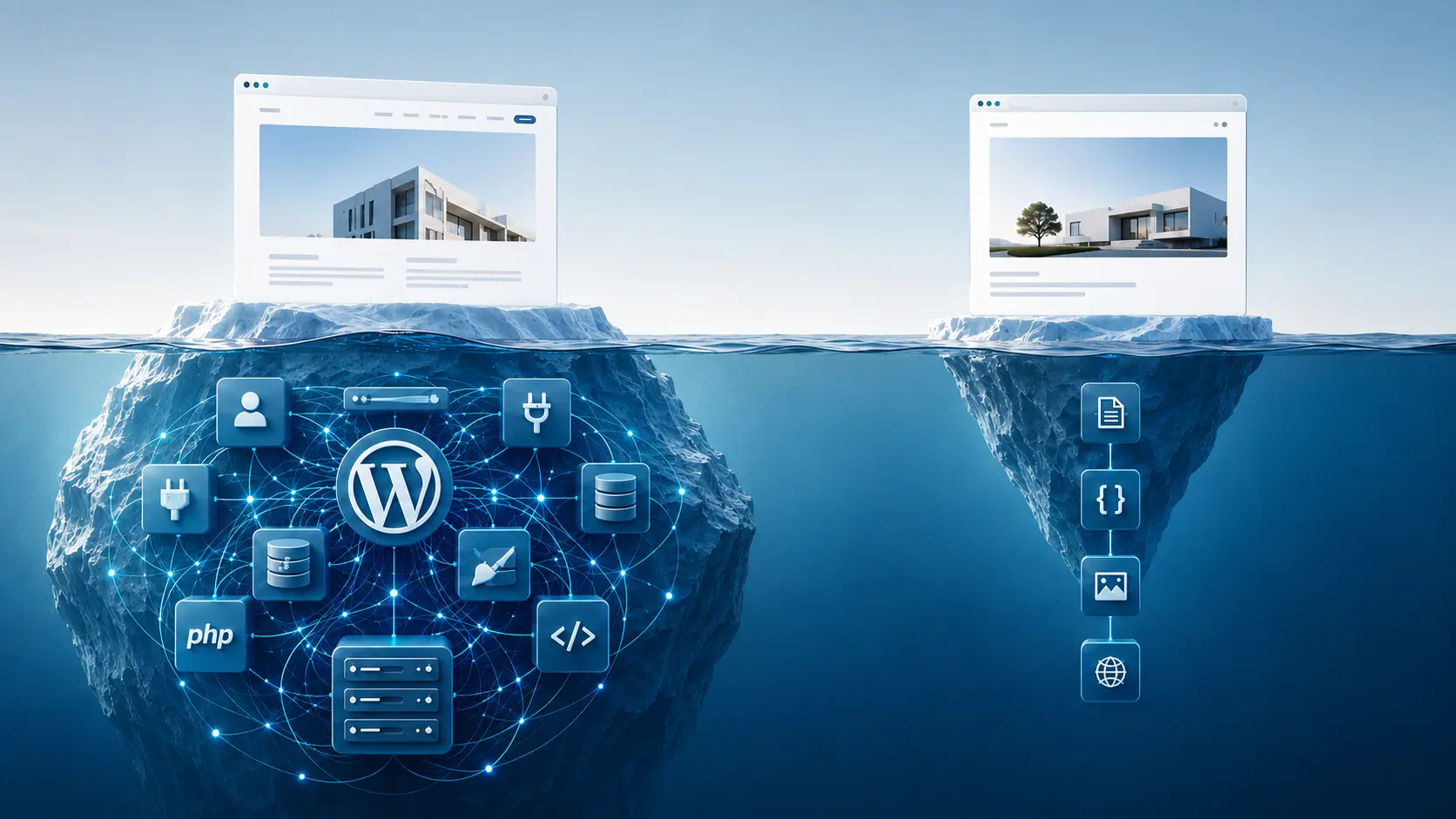
A typical setup can include WordPress Core, PHP, a database, an admin panel, themes, plugins, and multiple API routes. That makes sense for sites that depend on frequent publishing, ecommerce, memberships, user accounts, or more complex content workflows.
But many business websites do not need that much.
A homepage, a few service pages, an About page, a contact form, analytics, and SEO may be enough. The content might change occasionally, but the website is not really operating as a publishing platform.
WordPress can still handle that kind of site. The real question is whether the CMS provides enough value to justify the infrastructure behind it.
If it does not, what changes when those extra layers are removed?
Static Website vs WordPress: What Changes Behind the Page?
To the visitor, perhaps nothing. Both websites can look and function almost identically. Behind the scenes, however, the page delivery process is very different.
Static does not mean primitive. Responsive design, SEO, analytics, contact forms, animations, and modern interfaces can all work without generating ordinary pages through PHP and a database on every visit.
Whether that simpler architecture is the better choice depends on what the website needs to do.
| Requirement | WordPress | Static website |
|---|---|---|
| Non-technical staff edit content daily | Usually convenient | Often needs a developer workflow or headless CMS |
| Complex features through plugins | Strong ecosystem | Usually relies on external services or APIs |
| Server-side database | Normally required | Not needed for basic pages |
| Public admin panel | Normally present | Usually absent |
| Core and plugin updates | Ongoing responsibility | Little to no runtime maintenance |
| Simple brochure or landing site | Works, but may be more than necessary | Usually a strong fit |
| Ecommerce or user dashboards | Often better suited | Usually needs extra services or an application |
This difference in architecture also changes the security picture.
Does a Static Website Reduce Security Risk?
A static website is not immune to attack.
Someone can still steal deployment credentials, hijack DNS, exploit vulnerable third-party scripts, or take advantage of poorly configured APIs. Hosting and configuration still matter. What changes is the attack surface.
A basic static site does not need a WordPress database, PHP runtime, administration panel, or REST API to serve its public pages. If those components are not there, attacks aimed specifically at them have nowhere to land.
If your site does not need all of those WordPress features, it may be worth asking whether WordPress is the right fit.
Should You Switch From WordPress?
WP2Shell alone is not a reason to rebuild a website.
If WordPress supports workflows your business relies on, keeping it is often the sensible choice.
WordPress remains a strong fit if:
- several people edit content regularly
- you publish frequently and need a full CMS
- you operate an ecommerce store
- visitors need accounts or memberships
- your publishing workflow depends on WordPress features
A static website may fit better if:
- the site is mainly informational
- it is a brochure-style or local business website
- most pages change infrequently
- you primarily need landing pages and simple forms
- low maintenance matters
- page speed is important
- the CMS is rarely used beyond basic page editing
The decision comes down to what the platform is actually contributing.
If WordPress is actively supporting the way your business works, maintain it well and keep using it. If it is mostly sitting behind a handful of pages that rarely change, a smaller setup may accomplish the same job with less to manage.
That is also how we approach website projects at REAK™. We start with what the business needs the website to do, then choose the technology around those requirements rather than forcing every project onto the same platform.
For simple websites where a full CMS adds little value, we build lightweight static websites starting at around ₹1,000.
Starting price applies to a simple one-page website built with modern development tools. Final pricing depends on content, design, page count, and required integrations.
Frequently Asked Questions
Was WP2Shell actually exploited, or was it only theoretical?
- WP2Shell was not just theoretical. Researchers observed real-world exploitation attempts shortly after the vulnerability became public.
How do I know if my WordPress site was compromised?
- Check for unfamiliar admin accounts, unexpected PHP file changes, unknown plugins or themes, redirects, or unusual server activity. If your site was exposed while vulnerable, a deeper review is worth considering.
Can an existing WordPress website be converted to a static website?
- Yes. If the site is mainly informational, its content and design can often be moved to a static setup that serves pages without relying on WordPress and PHP for normal page delivery.
Are static websites immune to hacking?
- No. Static websites can still face security risks, but removing unnecessary components like a database, PHP runtime, or public CMS panel can reduce the attack surface.
Final Takeaway
WP2Shell needs a direct response: affected WordPress installations should be updated, and sites that may have been exposed should be checked for signs of compromise.
Beyond that, the incident is a useful reminder to look at the architecture underneath a website rather than simply accepting it as permanent.
WordPress is an excellent fit when its publishing tools, integrations, accounts, or dynamic features solve real business problems. A mostly informational site may not need the same infrastructure.
The right platform is the one that does the job well without asking you to maintain more than the job requires.